
Article
Kommodo AI Review (2026): AI Screen Recorder That Turns Videos Into Step-By-Step SOPs
Published 25 February 2026 · Reviewed by Craig Galloway
Kommodo AI Review (2026): AI Screen Recorder That Turns Videos Into Step-By-Step SOPs
By Craig Galloway (The YetiMarketer)Quick answer: Kommodo is an AI screen recorder that turns demos into a transcript, searchable notes, and step-by-step SOPs — then lets you host and embed the video on your pages. It’s ideal for affiliate marketers, creators, and SaaS builders who record reviews, tutorials, onboarding, or support clips and want to reuse one recording across content.
At a glance:
- Best for: demos, tutorials, SOPs for VAs, onboarding, review pages
- Standout features: transcript + transcript-based editing + SOP/step guide generation
- Why it’s different: record once → publish + document + reuse
Key Takeaways
- Kommodo records your screen and generates an AI transcript you can search later.
- You can edit the video by editing the transcript (faster than timelines).
- It can generate step-by-step SOPs from the recording (great for VAs and tutorials).
- You can host and embed videos for review pages, sales pages, and bonus pages.
- Best fit if you create demos weekly and want to reuse one recording everywhere.
Watch My Full Kommodo Review + Demo
If you want to see it in action before reading the full breakdown, here’s my Kommodo demo video: https://youtu.be/HasYlSXzWxA?si=NGope4QO-Y1APB21What You’ll Learn in This Review
- Why most marketers hate “everything after recording”
- What Kommodo is (in plain English)
- How I use Kommodo for demos, tutorials, and sales pages
- Features that actually matter for marketers
- Kommodo vs Loom vs Scribe (quick comparison)
- How to use Kommodo step-by-step
- FAQs (SEO-friendly)
- Discount link
Why the Real Problem Isn’t Recording… It’s “Video Fallout”
Let me guess… You sat down to record a quick demo. “A simple 3-minute walkthrough,” you told yourself. Fast-forward 47 minutes and you’re still messing around with:- a screen recorder
- a separate tool for transcription
- another tool for documentation/SOPs
- “where did that file save?”
- “why is the audio weird?”
- “how do I embed this?”
- “why do I have 19 versions called FINAL_FINAL_3.mp4?”
What Is Kommodo (And What Does It Actually Do)?
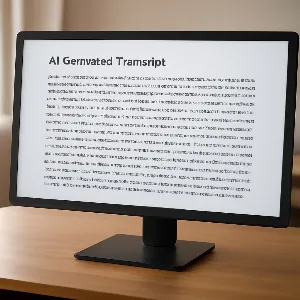
In plain English: Kommodo helps you turn one screen recording into multiple usable assets — without duct-taping three other tools together. At its core, Kommodo is an AI-powered screen recorder that can:- Transcribe your recording automatically
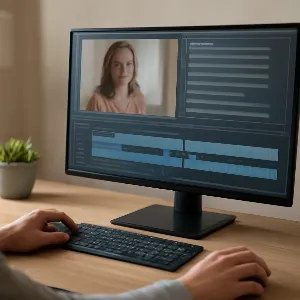
- Edit the video via transcript (less timeline scrubbing, more “delete the sentence”)
- Generate SOPs and step-by-step guides from the recording
- Organize your videos into a searchable library
- Host + embed videos on pages (review pages, bonus pages, sales pages)
- Create shareable pages with CTAs/attachments (depending on plan/features)
Why This Matters for Affiliate Marketers
Affiliate marketing isn’t “make a video.” It’s:- make a demo video
- turn it into a blog post
- use the transcript for your email promo
- pull highlights for social
- embed the video on your review page
- create a bonus tutorial from the same content
How I Use Kommodo (Real-World Marketer Workflow)
1) Product Review Demos (Affiliate Content)
When I’m reviewing a product, I record:- dashboard tour
- key feature demo
- quick setup
- “here’s what I’d do first” walkthrough
2) Tutorials for My Audience (YetiMarketer Style)
When I show my community how to do something — setup, integrations, fixing a weird issue, building a page — a video helps… but a step-by-step guide helps even more. Kommodo makes it easy to create a tutorial video + a written guide from the same recording, so members can skim steps instead of hunting timestamps.3) Sales Page / Bonus Page Videos (Embed + CTA)
If you’ve ever tried to embed a video on a page, you’ll know:- some hosts add branding
- some load slowly
- some break on mobile
- some add yet another monthly cost
4) SOPs for VAs (Hidden Money-Saver)
If you work with a VA (or want to), SOPs are the difference between:- “this VA is saving me time”
- and “I’m rewriting the same instructions every day”
5) Support Fixes (Stop Repeating Yourself)
Every creator ends up answering the same questions. With Kommodo you can create one “here’s how to fix it” clip, keep it organized, and share it instantly — with steps included.Kommodo Features That Actually Matter (From a Marketer’s POV)
✅ AI Transcript + Searchable Library
If you make a lot of videos, finding the right one becomes a nightmare. Transcripts make your content searchable and reusable.✅ Transcript-Based Editing
Edit by editing text:- remove filler
- cut mistakes
- tighten explanations
- clean up pauses
✅ SOP / Step-by-Step Guide Generation
This is what makes it more than a recorder. SOPs make your content scalable — for onboarding, training, and outsourcing.✅ Hosting + Embeds
For review pages, bonus pages, and sales pages, embedding matters. If Kommodo reduces the need for a separate hosting tool, that’s a win.✅ Share Pages + Attachments
If you want something cleaner than “here’s a raw video link,” share pages and attachments can tidy up your delivery.Kommodo vs Loom vs Scribe (Quick Comparison)
This is a simple way to think about it:| If you need… | This tends to fit best |
|---|---|
| Basic screen recording + quick sharing | Loom-style tools |
| Pure step-by-step documentation from actions | Scribe-style tools |
| Recording + transcript + transcript editing + SOP generation + hosting/embeds | Kommodo |
Who Is Kommodo Best For?
- Affiliate marketers creating demo/review videos
- Course creators building tutorials + onboarding
- SaaS founders doing walkthroughs and support docs
- Agencies training clients
- Anyone building SOPs for VAs and processes
Who Should Skip It?
- You rarely record anything
- You only need a basic recorder once in a blue moon
- You don’t care about transcripts, guides, or organization
What I Used Kommodo For This Week (Real Examples)
- Recorded a product demo for a review page
- Turned the same recording into a step-by-step SOP for a VA
- Embedded the video on a page so viewers could follow along
What Surprised Me Most
The biggest “wow” isn’t pressing record — it’s everything after. Once the transcript and SOP are done, the same recording can become a blog post, email promo, and tutorial link without starting from scratch.
How To Use Kommodo (My Simple Workflow)
Step 1: Record your demo (screen + mic)
Open Kommodo and hit record. I do a quick talking-head intro, then go straight into the screen share so people instantly see the product/dashboard. Tip: For affiliate reviews, keep the first 10–20 seconds focused on the outcome: what they’ll learn and what you’re about to show.Step 2: Let Kommodo generate the transcript
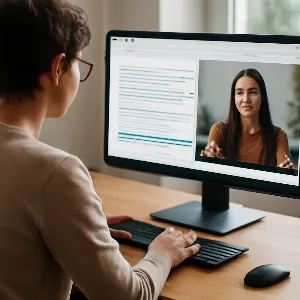
When you stop recording, Kommodo generates a transcript. This makes your video searchable and editable.Step 3: Clean up the video using transcript-based editing
- remove filler
- delete repeated lines
- cut mistakes
- tighten pauses
Step 4: Generate a step-by-step guide / SOP
Use the guide/SOP feature to create a simple walkthrough for:- a VA process
- a support article
- a “follow along” guide for your audience
Step 5: Publish as a share page (optional)
Create a cleaner share page with a title, description, CTAs, attachments, or download settings (depending on your plan/features).Step 6: Embed the video on your pages
Copy the embed code and paste it into WordPress, your page builder, or your review/bonus/sales page.Step 7: Repurpose the transcript
- YouTube description
- blog summary
- email promo
- social captions
- key takeaways post for your Facebook group
Kommodo FAQs
Is Kommodo a good Loom alternative?
If you only want basic recording, Loom-style tools are fine. Kommodo shines if you want the full workflow: transcript → transcript editing → SOP/step guide generation → hosting/embedding.Can Kommodo create SOPs automatically from videos?
Yes. You record once, then use its AI features to generate a step-by-step guide you can share with a VA, client, or audience.Does Kommodo include video hosting and embeds?
Yes. You can host and embed videos on pages, which is handy for review pages, bonus pages, onboarding, and sales pages.Can I edit videos without a timeline?
That’s the point of transcript-based editing. It can be much faster than traditional video editors for demo/tutorial content.Is Kommodo good for affiliate marketers?
It’s a strong fit if you create review demos, tutorials, bonus walkthroughs, or anything where the video needs to become a reusable asset.Does Kommodo help with repurposing content?
Yes. Transcripts and summaries make it easier to turn one recording into blog content, emails, social posts, and documentation.What kind of videos work best in Kommodo?
Walkthroughs, tutorials, onboarding/training, support fixes, and sales page demos — basically anything where “showing” is faster than explaining.
✅ Grab the Discount
If you want to check out Kommodo and grab the discount, go here:👉 Get the Kommodo discount here: https://yetilinkmanager.saasyeti.com/r/website-saasyeti/kommodo-discount
And if you haven’t watched the demo yet, here it is again: https://youtu.be/HasYlSXzWxA?si=NGope4QO-Y1APB21